
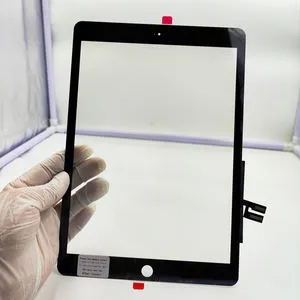
️ The Ultimate Guide to iPad 9 Screen Replacement: Save Your Tablet & Your Money
Accidentally dropped your iPad 9th Generation (2021 Model)? We’ve all been there. One minute you’re binge-watching your favorite show or sketching a masterpiece, and the next, you’re staring at a spiderweb of shattered glass.
Before you panic or rush to buy a brand-new device, take a deep breath. Replacing the screen assembly on an iPad 9 is not only possible but also a cost-effective way to bring your tablet back to life. In this guide, we’ll walk you through everything you need to know about diagnosing the issue, choosing the right parts, and getting your iPad looking and feeling brand new.
Diagnosis: Is It Just the Glass or the Display?
The iPad 9 features a non-laminated display design. This means the outer glass (digitizer) and the inner LCD (display) are separate components. Understanding this is crucial for your wallet:
- Outer Glass/Digitizer Damage: If your screen is cracked, but the image underneath is still clear, bright, and responsive to touch, you technically only need to replace the outer glass. However, for most DIY enthusiasts and repair shops, replacing the entire Screen Assembly (LCD + Digitizer) is often safer and easier to ensure a perfect bond without dust particles.
- LCD Damage: If you see black ink spots, vertical lines, flickering, or if parts of the image are completely missing, your LCD is damaged. In this case, a full screen assembly replacement is mandatory.
Choosing the Right Replacement Part
Not all screens are created equal. When shopping for an iPad 9 screen replacement (compatible with model numbers A2602, A2603, A2604, and A2605), keep these factors in mind:
- High-Quality LCD: Look for assemblies that promise high color saturation and true-to-life brightness. Cheap knockoffs often have a "greyish" tint or poor viewing angles.
- Touch Sensitivity: A premium screen ensures zero latency. This is vital if you use an Apple Pencil for note-taking or drawing. You want a screen that supports smooth handwriting without断触 (ghost touches).
- Pre-installed Components: The best replacement assemblies come with the Home Button bracket and IC chip pre-installed or ready for transfer. This saves you hours of delicate soldering work.
Pro Tip: Always check if the replacement screen supports the auto-brightness feature. Some low-quality third-party screens fail to support the ambient light sensor, leaving you to adjust brightness manually forever.
The Repair Process: What to Expect
While we always recommend professional repair for the best results, here is a high-level overview of how the replacement works.
️ Warning: Opening your iPad involves heat and delicate ribbon cables. Proceed at your own risk.
- Heat and Open: The iPad 9 screen is held in place by strong adhesive. A heat gun or heating pad is used to soften the glue around the edges, allowing you to carefully pry the screen open with a pick.
- Disconnect the Battery: Safety first! Before touching any display cables, always disconnect the battery to prevent short circuits.
- Transfer Components: If your new assembly doesn't come with everything, you may need to transfer the Home Button and the Wi-Fi/Bluetooth antenna board from the old screen to the new one.
- Clean the Frame: This is the step that separates a pro job from an amateur one. All old adhesive must be scraped off the iPad's frame to ensure the new screen sits flush.
- Test Before Sealing: Connect the new screen, turn on the iPad, and test the touch, display colors, and Home Button functionality. Once confirmed, seal it up with new adhesive strips.
Why Repair Instead of Replace?
- Cost Efficiency: A screen replacement costs a fraction of the price of a new iPad 9.
- Data Retention: You keep all your photos, notes, and apps exactly where you left them.
- Eco-Friendly: Repairing extends the lifecycle of your device, reducing electronic waste.
Final Thoughts
A broken screen doesn't mean the end of the road for your iPad 9. With the right replacement screen assembly and a bit of patience (or a trusted repair technician), your tablet can look and perform just like the day you bought it.
Are you ready to fix your iPad? Browse our collection of premium iPad 9 screen assemblies today and get your device back in action