
Category: Tech Repair Insights
Reading Time: 3 Minutes
Reading Time: 3 Minutes
Have you ever dropped your iPad, picked it up to find the glass completely intact, but realized certain areas of the screen just won't respond to your touch? It is a frustrating and baffling experience. You might see "dead zones" on the left or right sides, or a strip in the middle that refuses to register your Apple Pencil or finger.
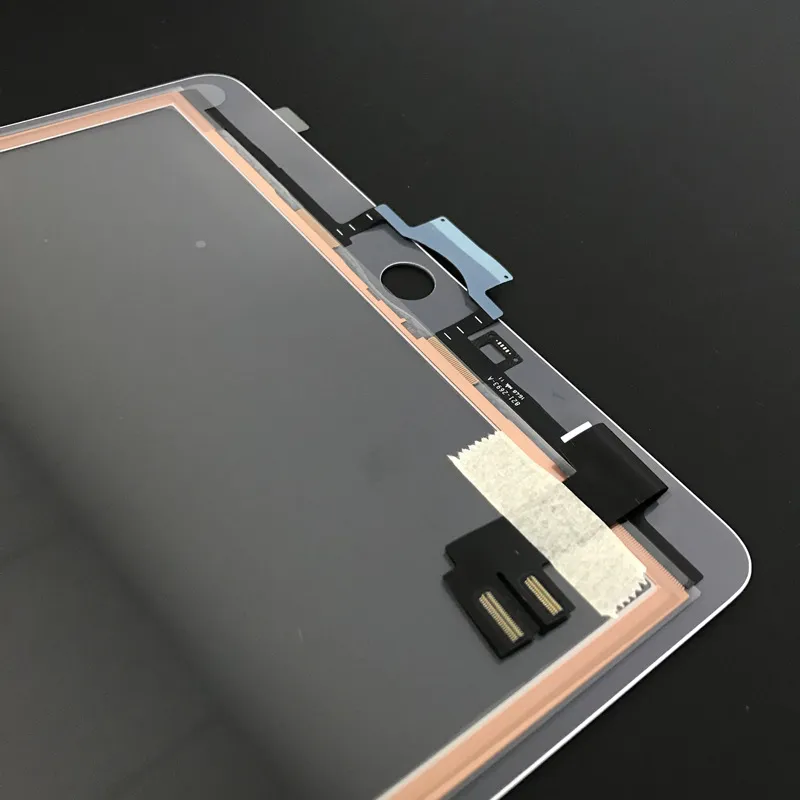
Many users assume that if the glass isn't cracked, the screen is fine. However, the reality of iPad hardware is more complex. The "outer screen" isn't just a piece of protective glass; it houses a delicate layer of circuitry responsible for touch sensitivity. This layer is incredibly thin—often visible as a golden rim around the edge of a replacement part.
When an iPad suffers an impact, even if the tempered glass doesn't shatter, the shockwave can damage these microscopic touch circuits underneath. This is surprisingly common in certain models, such as the 12.9-inch iPad Pro (5th Generation), where internal stress can sever connections without leaving a visible scratch on the outside.
The Takeaway: If your iPad is acting ghostly or ignoring your taps despite looking brand new, the issue likely lies in the touch digitizer layer. The good news? You usually don't need to replace the entire expensive display assembly—just the touch outer layer.